En esta sección
Establishment Management
Premium*
This option summarizes the parameters defined in the previous establishment configuration section. It is divided into five blocks of tables that allow filtering of the values they display.
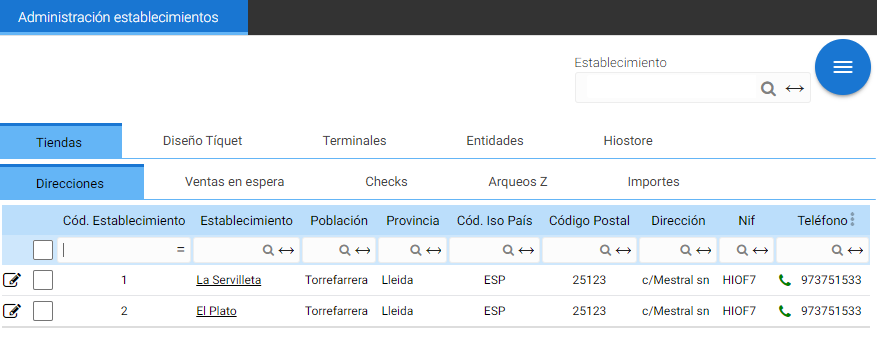
Each table contains direct access to the stores in question: the underlined values contain links to their pages. Additionally, the values defined for each establishment are modifiable.
Stores
- Directions: values that make up the tax address of each establishment.

- Pending sales: Displays the establishments that have a terminal that acts as a server for pending sales.

- Checks: Contains the values for the buttons "Notify if there's a discrepancy", "Use petty cash" and "Use containers" which in the settings are found in the sections Cash Count, Cash Boxes, and Containers, respectively.

- Arqueo Z: the definition of the parameters for the Arqueos: Send email, the email address to which the arqueo must be sent and the cut-off time.

The cut-off time for the record batches distinguishes the moment from which documents become part of the next record batch.
- Amounts: The minimum amount values for calculating discrepancies in cash counts, the threshold above which an invoice must be issued, the minimum amount for residents and non-residents.

Ticket design
The fields that will be displayed in the Ticket layout configuration in Hiopos, as well as the text format of the values they will show.
This window does not contain line type creation tools for the designs, therefore it is only possible to assign or unassign types from among the default available options.
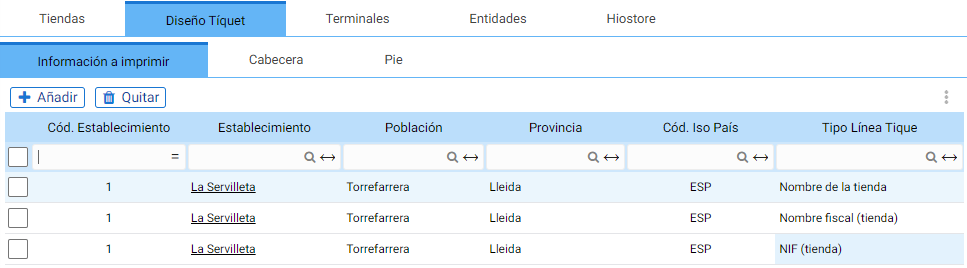
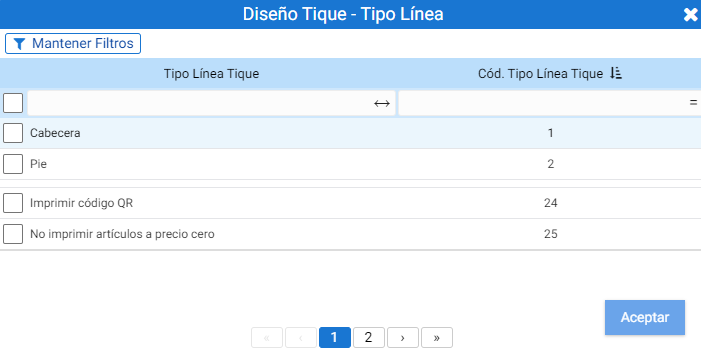
The Add button opens the Establishment selector. Once the location is selected, a new search filter opens where you must select the Line Type to add for the Design of the tickets for the specified establishment.
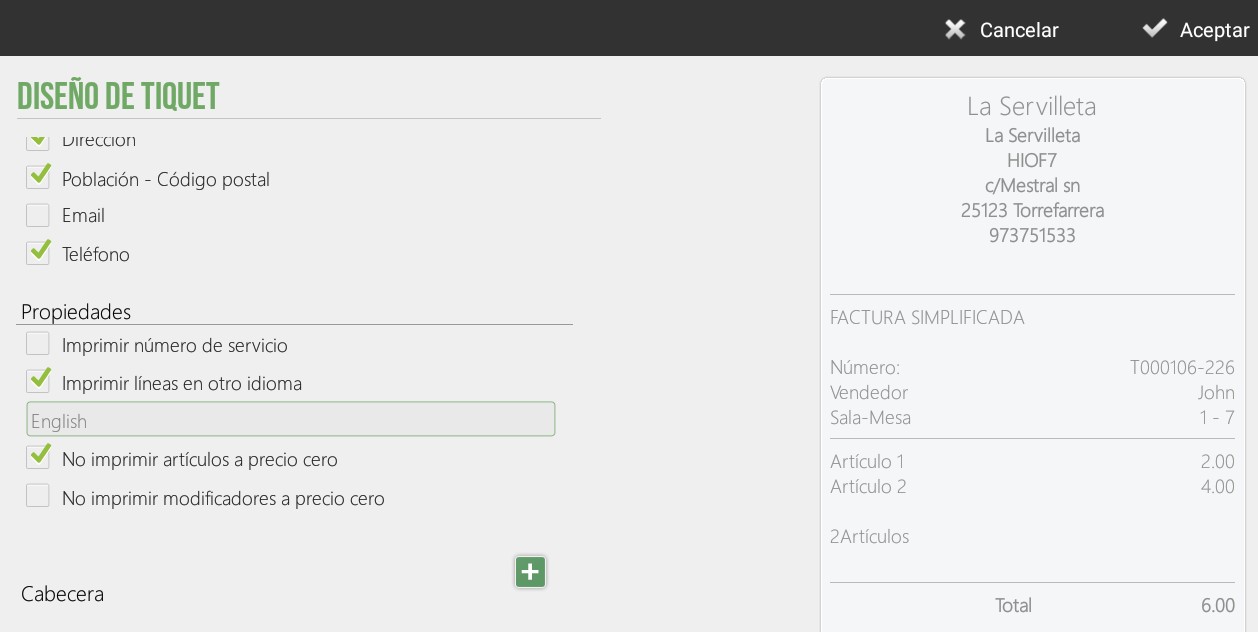
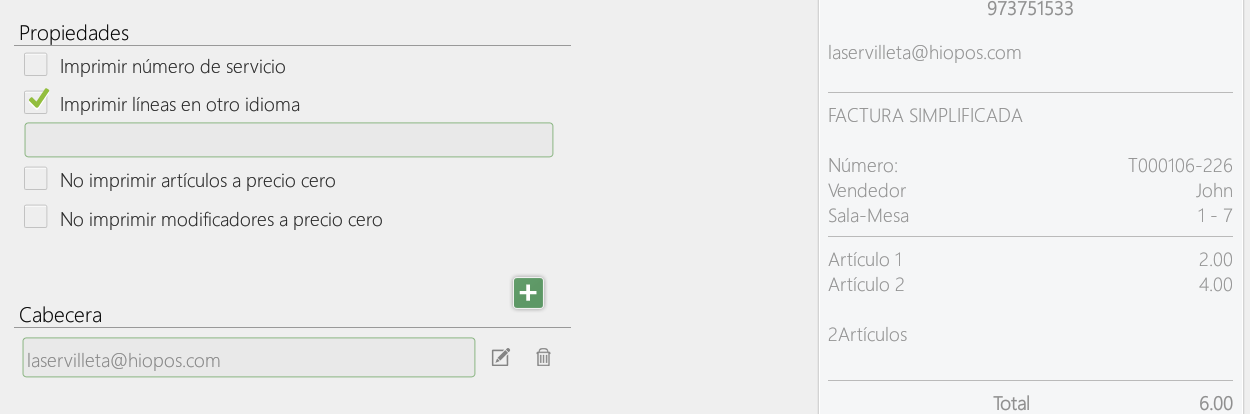
Possible line types range from the store logo to the NIF, email, or phone, as well as various functions, for example, printing lines in another language or not printing zero-priced items.
In Hiopos, the options added in this tab will be available within the Settings, in [Ticket Design], Properties section:
The Header and Footer tabs allow adding the same types of lines as in the properties, but in the Hiopos design settings, they will be shown visible in the Header and Footer sections:

Terminals
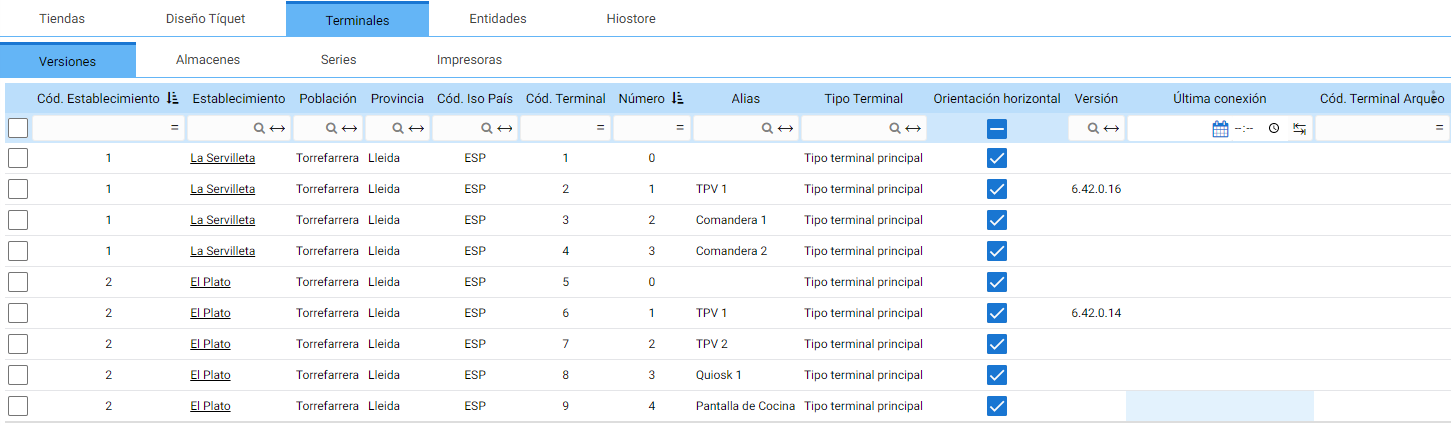
In four tabs, the information for each terminal is stored, distinguishing each record by the terminal code, the alias, and the establishment it belongs to.
- Versions: The version installed per terminal, the date of the last connection made and the terminal that records the Audit.
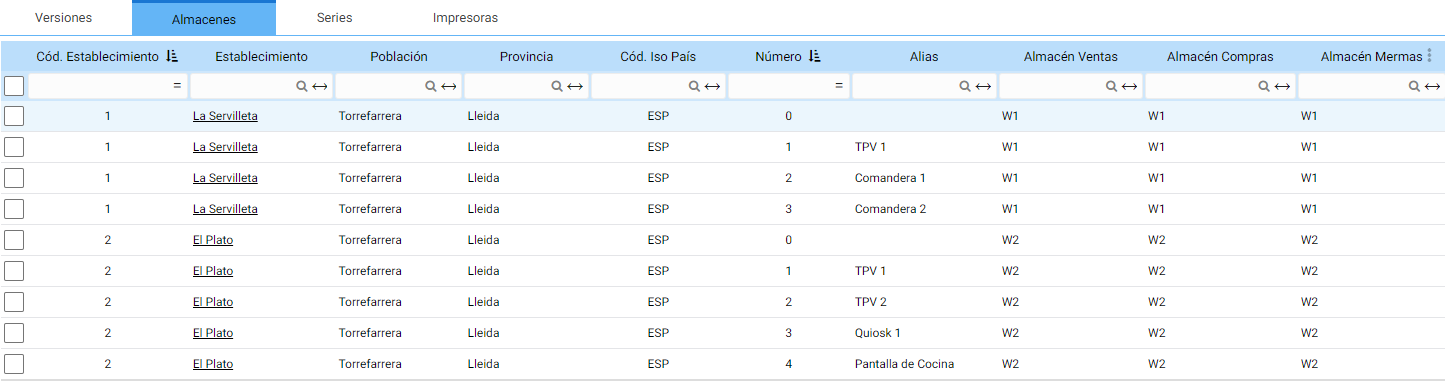
- StoresThe purchase, sales, and shrinkage warehouses of each terminal.
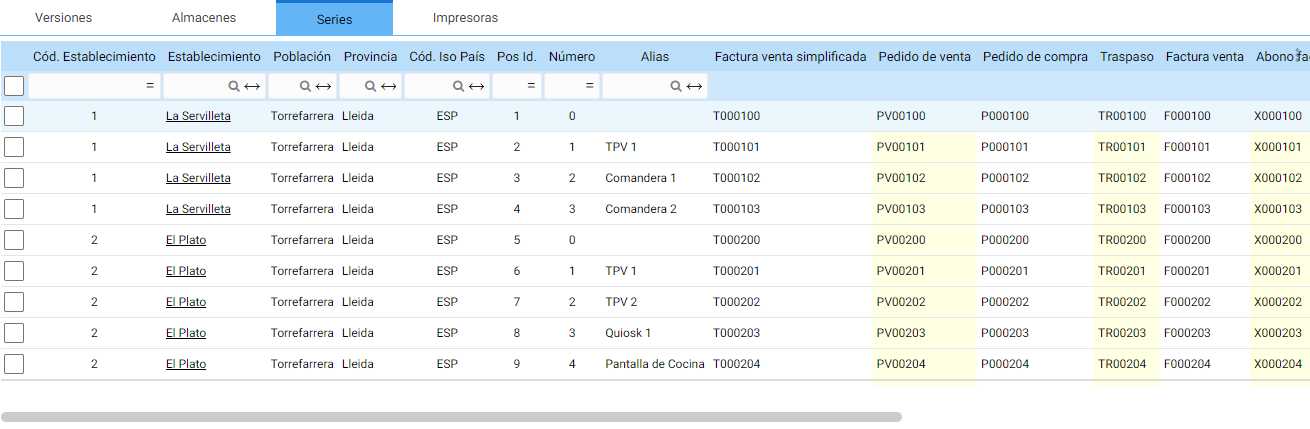
- Series: The series for each document type available on the terminal.
- PrintersThe printer devices configured by terminals

Entities
The allocation of the various components that make up the information of the establishments.
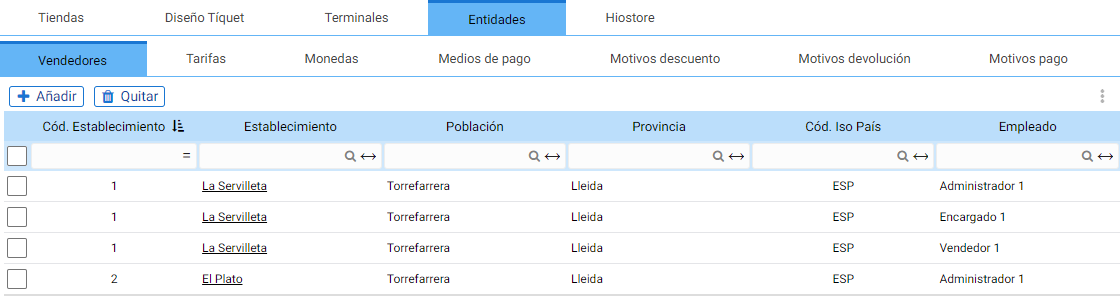
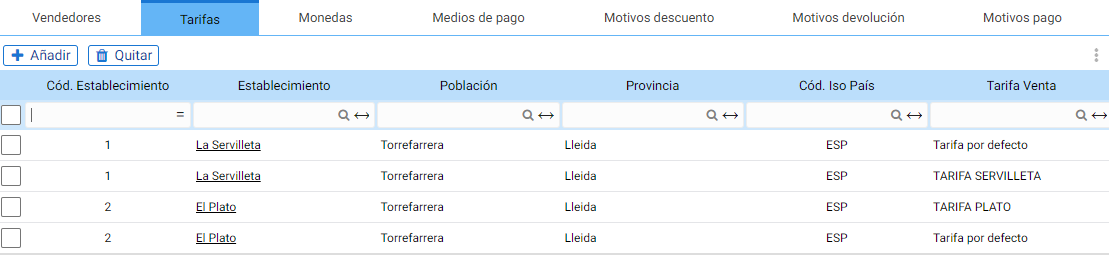
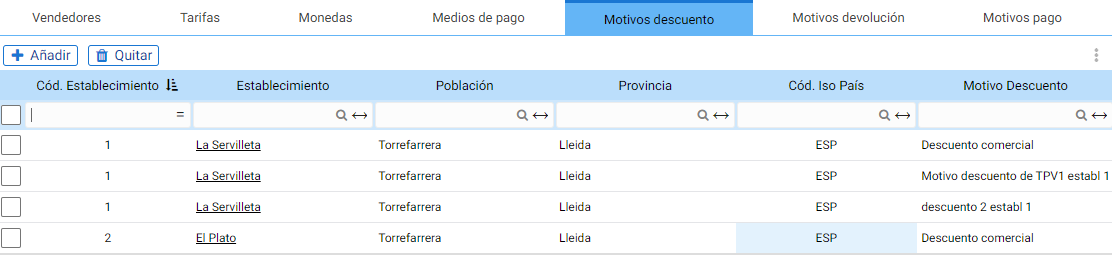
There are a total of seven entities that can be configured per establishment, divided into their own tab with the buttons to add or remove records:
• Vendors
• Rates
• Coins

• Payment methods
• Payment methods

• Discount reasons
• Return reasons

Hiostore
The HioStore API assignment parameters.
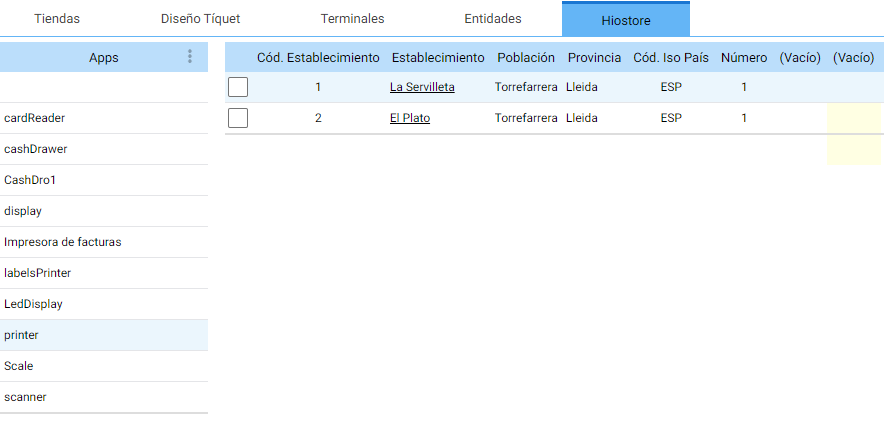
With the module selector (APIs) on the left of the screen, it is possible to navigate the configuration parameters among all the options enabled for this client.
This section does not have buttons to add or remove applications, but the configuration parameters are editable.

AI Assistant
Section summary
AI can generate inaccurate information; verify the results.