En esta sección
Withholdings
The Withholding tool allows the creation of withholding types by supplier, client, seller, or even none of the above.
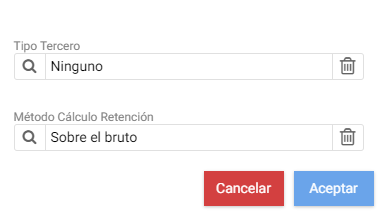
The first thing the program requires to create a new type is to indicate the Third-Party Type and the Calculation Method.
The calculation method must be selected from among the following four options: on the gross, on the net, on the taxable base, or on the taxes.
The record of a retention is divided into a header with the information that defines the behavior of said retention and two tabs: Properties and Linked Data.
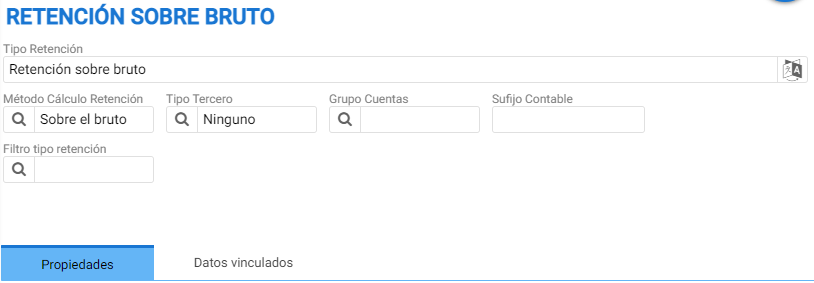
The header has the following fields:
- Type of Withholding: The percentage tax.
- Withholding Calculation Method: On what amount should it be applied
- Type ThreeThe possible options are Client, Provider, Vendor, or None. If the "None" option is selected, it will apply to all.
- Accounts Group: The accounting account group to which the withholding belongs. For example, the “Customers” group contains accounts with the prefix 43.x.
- Accounting SuffixThe code that follows the accounting root for this type of withholding. The booking of this charge's application must be stored under the defined suffix.
- Retention type filter: allows selecting an option from among the following types
- by Professionals
- Entrepreneurs in booths
- by Professionals:
- Dividends or Loans
- of Workers
Properties
A table with the percentage, start date, end date, and a minimum amount defines the calculation that will perform the withholding once applied under its application conditions.

Linked data
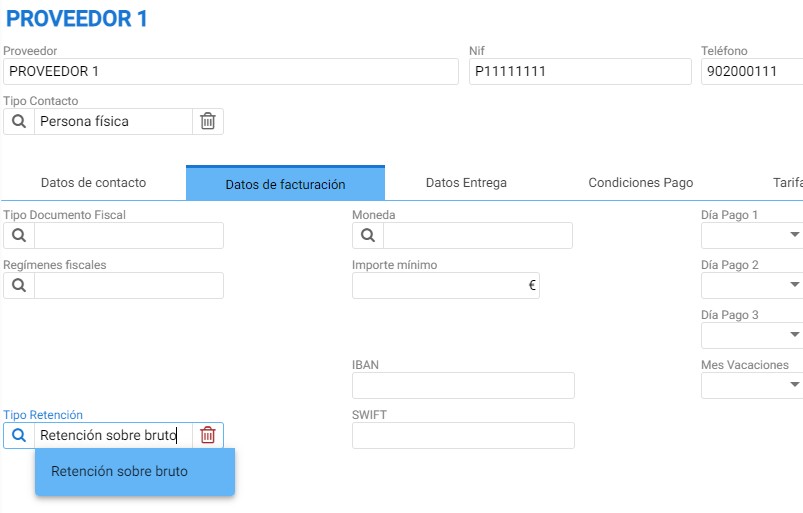
To apply the retention percentage on an item or view the customers or suppliers who have the retention type assigned in the [Billing Data] tab of their record:
AI Assistant
Section summary
AI can generate inaccurate information; verify the results.