En esta sección
Expert articles
The Item Expert allows direct access to all item properties through tables distributed across four tabs:
- Prices
- Properties
- Modifiers
- Kitchen situations (in hospitality)

All sections contain the creation, deletion, copy record, and label printing buttons for the selected items.
Inside the tables, their values can be modified.
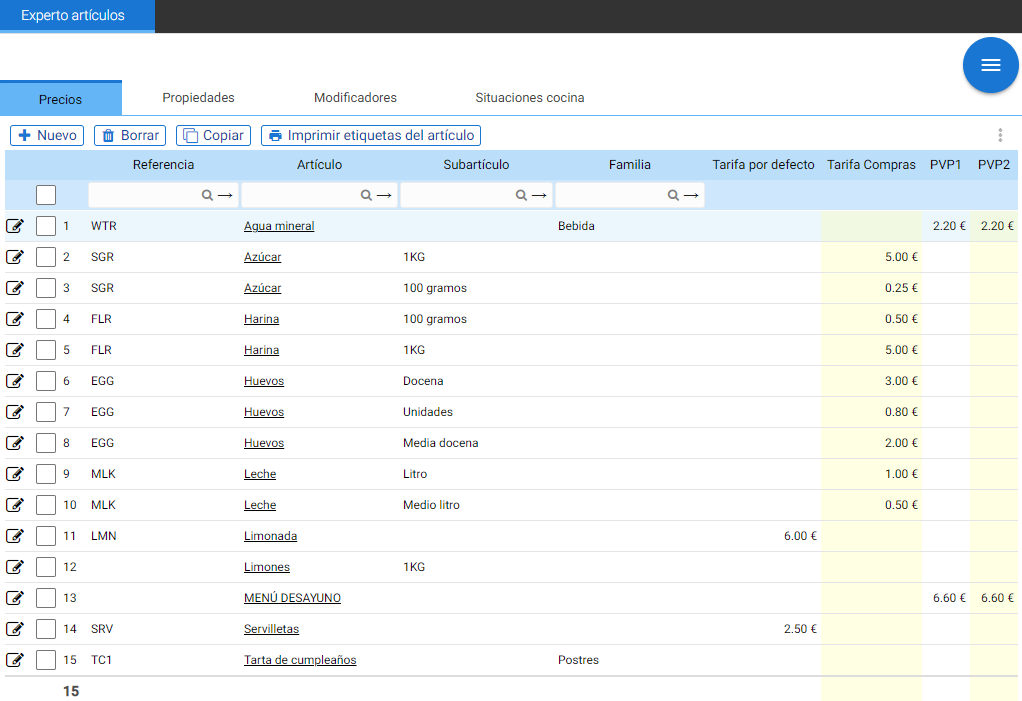
Prices:
The block containing this tab reports the purchase and sale prices per item, the [Reference] and [Item] fields access its record with a double mouse click.
From here it is possible to modify the prices, the category, the reference, and the description of the item.
Properties:
Here you can see if the article or the associated sub-article is discontinued, or discontinue it.
The following columns report on the suppliers from whom the product is purchased and the unit price at which this merchandise was purchased.
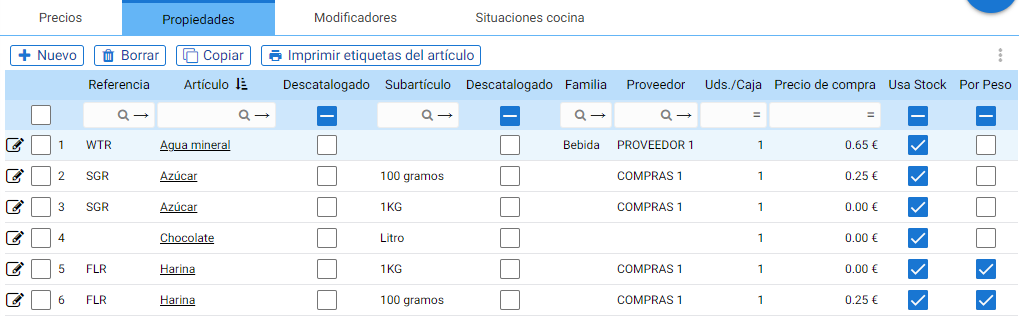
The amount shown here may be different from the one configured in the item, Purchase Prices tab, because this table shows the actual cost of the last purchase.
The last columns of the block are [Use Stock] and [By Weight] and allow these functions to be enabled/disabled.
Modifiers:
The selection of items and the modifiers associated with the item, from where the associated modifiers for each item and their auto, maximum, and minimum settings can be viewed and changed.

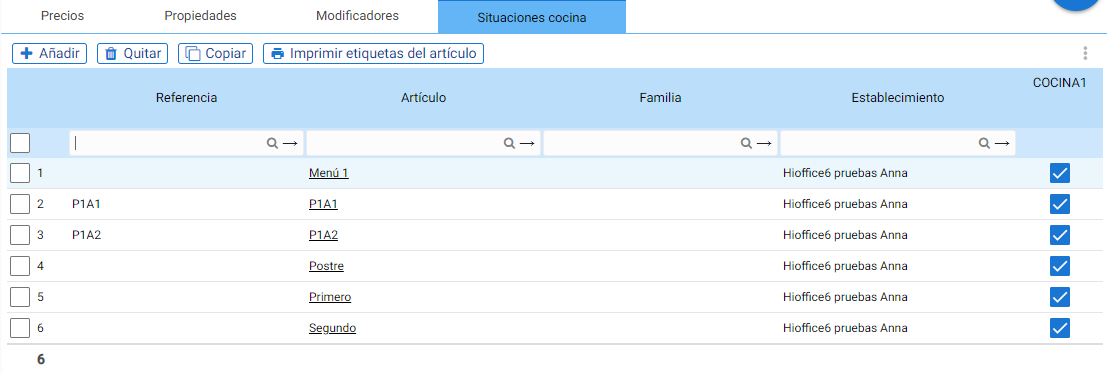
Kitchen situations:
It is very useful to have control over kitchen situations, which is why you can manage this information on this tab.
AI Assistant
Section summary
AI can generate inaccurate information; verify the results.