Labels
HioPOS Cloud enables label printing for the entire range of customer-configured items.
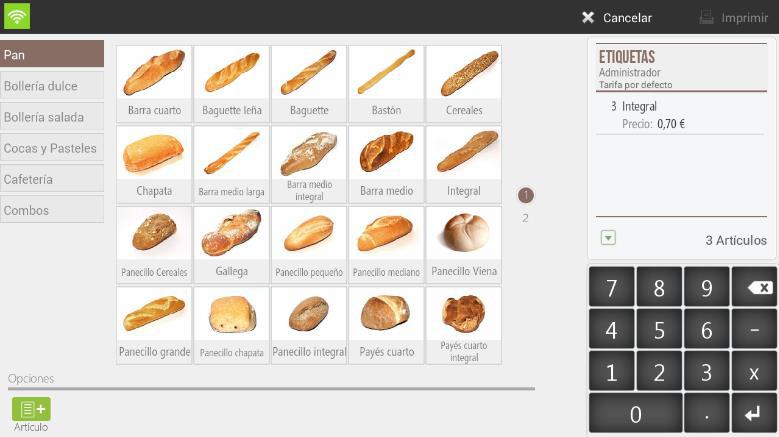
This feature can be very useful when the establishment wants to label containers or packaging with the product already packaged. Essentially, the information contained on the Labels is the following; item type, the number of items contained, and the price.
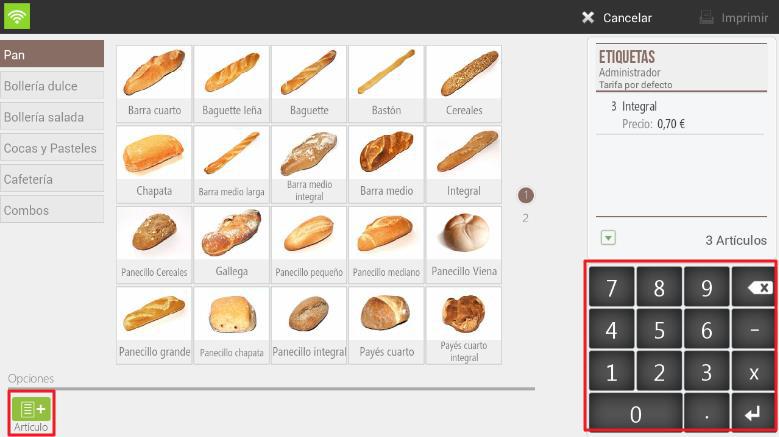
To streamline the article selection method, the application offers the functionality; search by reference -in the bottom right margin-, through which the user can search for the article by its reference number. There is the possibility to select articles by list using the functionality Article on the bottom left margin of the application.
Label maintenance
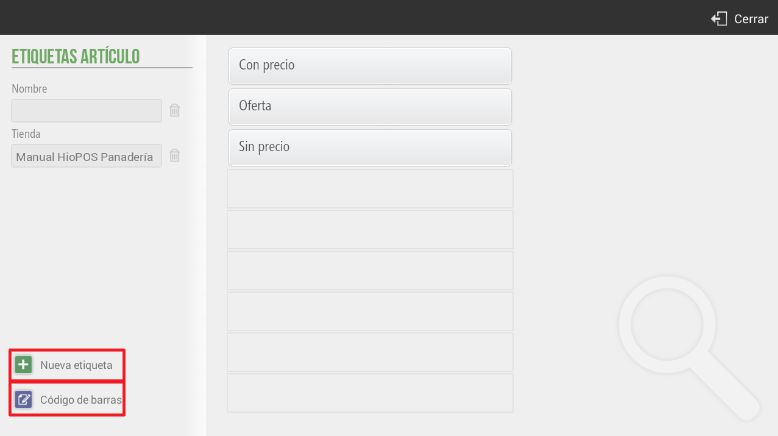
HioPOS Cloud allows the management of item labels. To configure it, go to Configuration, Item Labels.

In the label configuration, we will display the 3 default label types: price label, sale label, and no-price label.
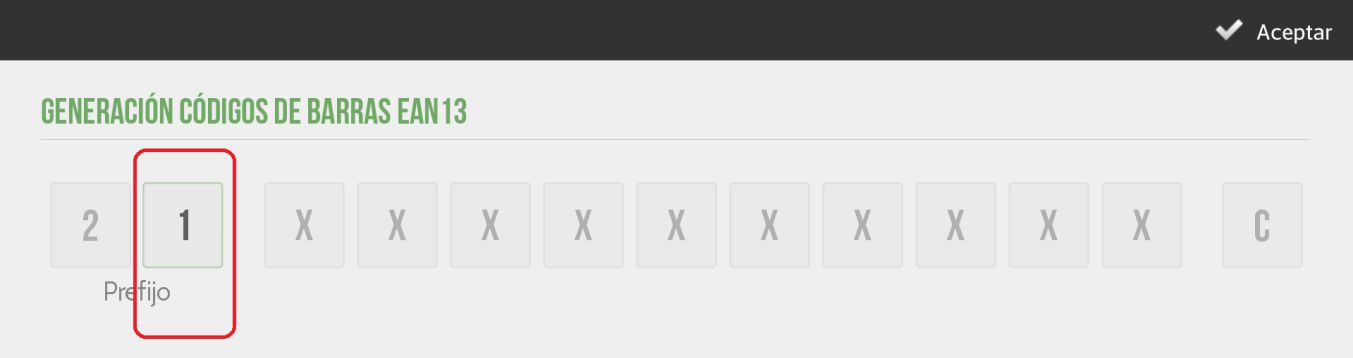
Once on this screen, we will have three options: modify an existing label; create a new label; or modify the prefix in the numbering of the EAN 13 barcode. In certain cases where items do not include a barcode, we can configure the creation of automatically generated barcodes. In these, we can modify the prefix.
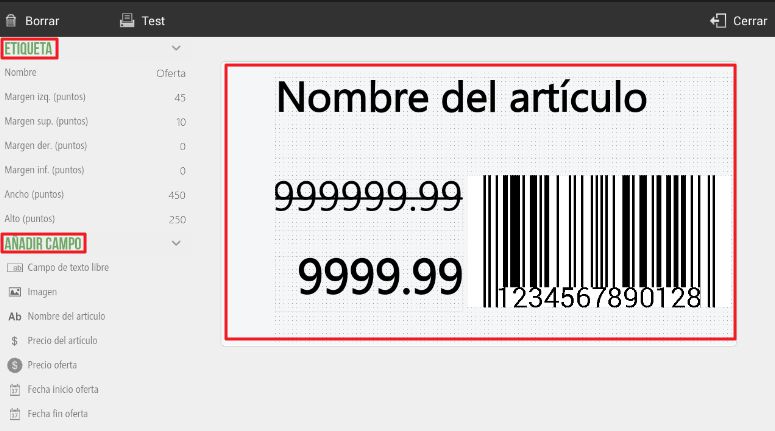
HioPOS Cloud offers many features when configuring the design of a label. We can personalize and customize it with almost complete freedom. This feature allows modifying the label's own information fields and editing the design of the fields that will be printed later.
The user can configure the label according to; Name, Left margin, Top margin, Right margin, Bottom margin, width and height. General label concepts.
The user can configure the label preview and add the following fields; Free text field, Image, Item name, Item price, Offer price, Offer start date, Offer end date, Item barcode, and Item image.
The label configuration tool allows for the preview of all previously mentioned fields in an image that will update in real-time as modifications are made. By dragging these fields, the user can organize the fields of their label.
HioPOS Cloud also allows modifying the prefix in the Generation of EAN-13 Barcodes. As previously mentioned, EAN-13 barcode generation will be done automatically in cases where the item does not have its own barcode. We will be able to modify the second digit of the prefix, changing the encoding in the generation of the barcodes.
AI Assistant
Section summary
AI can generate inaccurate information; verify the results.