En esta sección
Kitchen screens
HioPOS Cloud can work with up to five kitchen displays. You can configure them from the Kitchen Displays option in the Settings menu.

Each screen must be configured according to its corresponding situation. The situations refer to the kitchen screen where the order must be managed. Additionally, you can also set which items are prepared in each kitchen situation on the item editing screen.
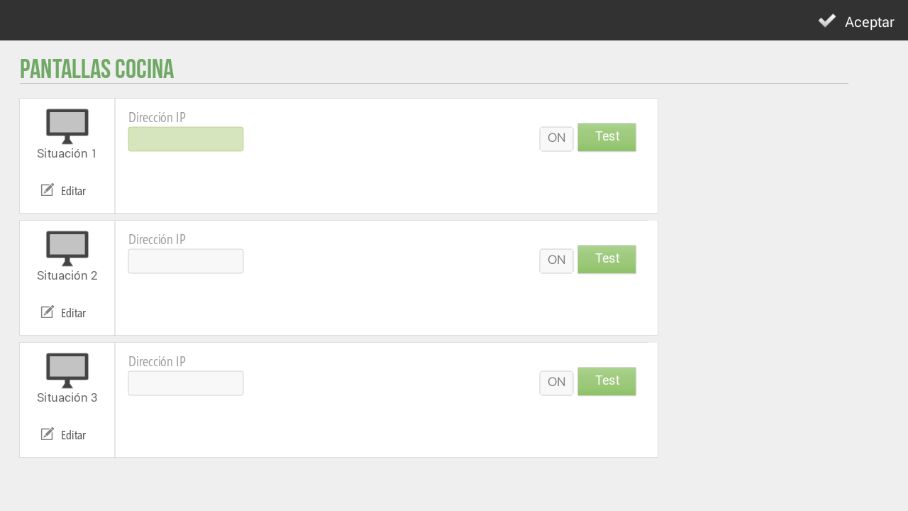
Kitchen displays can only be configured via a local network (which can be wired or Wi-Fi), so all devices will need to be on the same network.
First we select the Screen model, then we add their IP Address. We click on Test to verify their proper functioning.
Each printer can be activated or deactivated as convenient using the ON/OFF option.
AI Assistant
Section summary
AI can generate inaccurate information; verify the results.