En esta sección
Default item assignment for a table
HioPOS Cloud allows assigning default items to a specific Table. In certain scenarios, it might be useful for a specific item to be assigned by default to a Table, such as in the case of cutlery. In these cases, this item may have an associated cost.
To assign a default item to a table, we will go to Configuration, in the option Salas and we will select one of our rooms. Once we are inside the room, we will select one of our tables and click on it. A dropdown will appear and we will select the option Properties.
Next, the Mesa properties screen will appear. On this screen, we will be able to select the option Add on the right margin of the screen, as shown below.
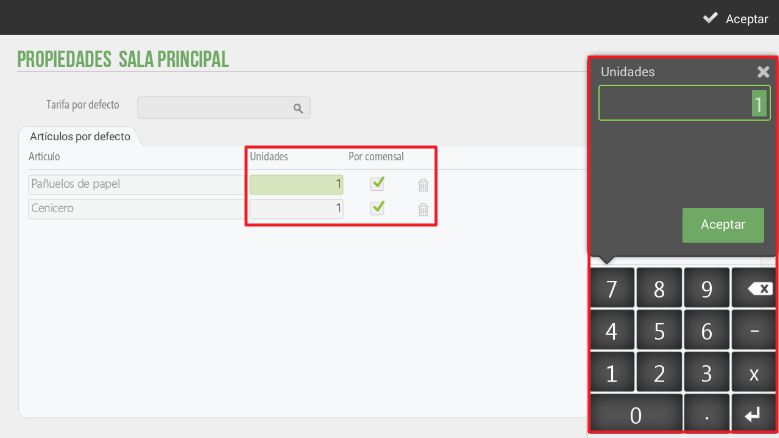
When selecting the corresponding item, the application displays the Table Properties screen so that we can configure the number of units of this item for this table and whether these units correspond to the number of diners, i.e., if they are per diner.
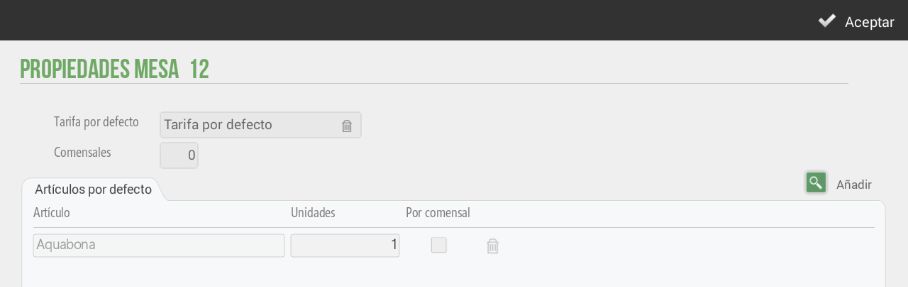
The selected item will have a price that must be assigned in the item configuration. When making a sale at this table, the application will, by default, assign the number of units of the configured item. Below is the sales screen in case the sales table has default items configured.
AI Assistant
Section summary
AI can generate inaccurate information; verify the results.