En esta sección
Order-taking Terminal Configuration
HioPOS Cloud offers the possibility to configure a terminal for taking customer orders. The "order terminal" is the terminal where the waiter takes note of the customer's order. If printers are configured, this order can be sent to the various printers. The performance of a hospitality business that operates with a correct implementation of this system is far superior to classic systems.
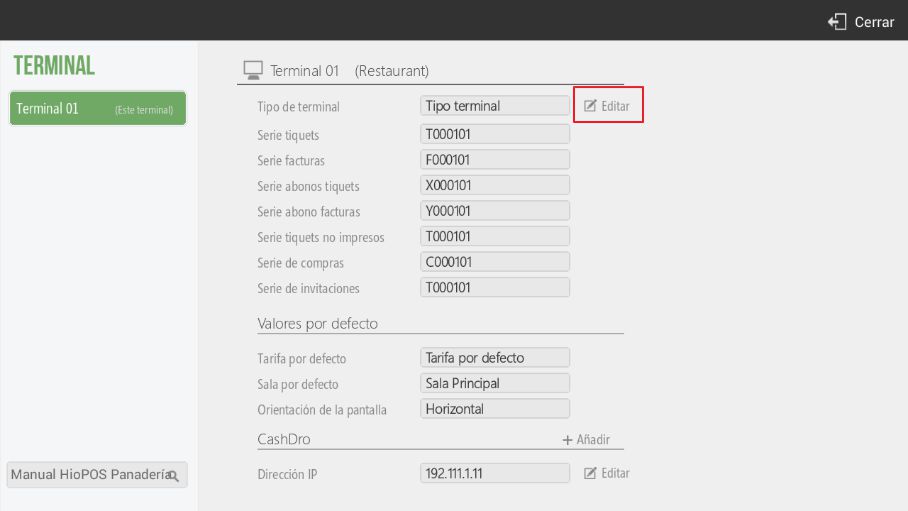
To configure a terminal as an "order-taking" terminal, we will need to go to Administration, Settings, Terminal, select the terminal number we want to configure and select the option Edit.
Upon selecting this option, the device will link us directly to the screen Type of Terminal:
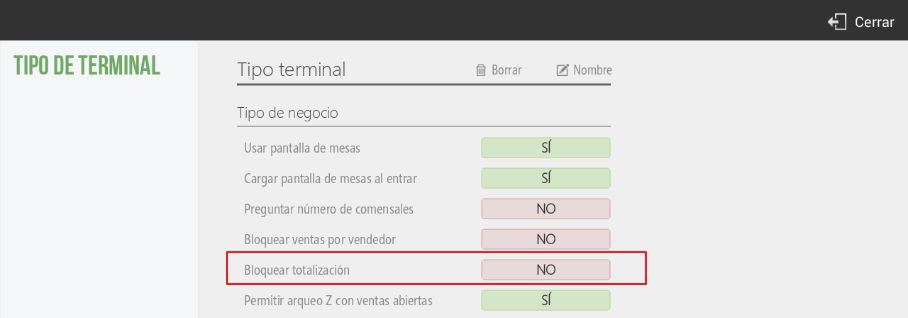
To configure a terminal as an order terminal, we will select the "block totalization" option. At this point, the selected terminal will not be able to proceed with the totalization and sale of an order.
If the ordering terminal is a tablet, HioPOS Cloud allows you to modify the application's screen orientation to facilitate item viewing and streamline order management.
To modify the screen orientation, we will have to go to Administration, Configuration, Terminal, we will select the terminal we want to modify from the left margin and modify its screen orientation, as indicated below.
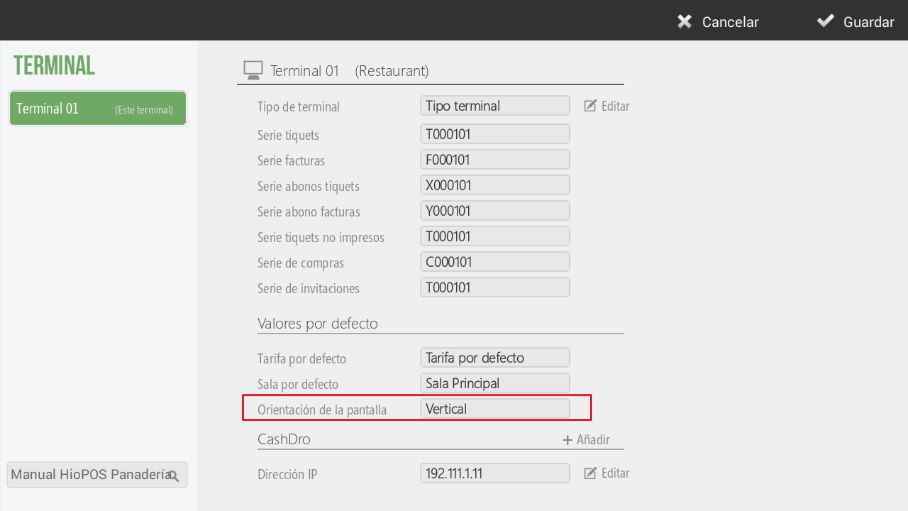
The application also allows us to assign a default rate to the terminal or assign a default room to it.
In the event that the application does not synchronize automatically, and to validate the screen orientation change, we will have to synchronize the device, from Administration, Synchronization.
The application also allows us to modify the designation of the terminals to clarify what type of terminal they are. To modify the designation of the terminals, we will have to go to Administration, Configuration, Terminal and in the first option Edit As shown on the following screen.
AI Assistant
Section summary
AI can generate inaccurate information; verify the results.