En esta sección
Definition
Lot Item
A lot-tracked item is an item for which we use Lot Numbers to manage its stock and track all movements from purchase or manufacturing to sale, including transfers and inventory adjustments.
What do we understand by lot number?
They are unique identifiers assigned to a specific group of products during the manufacturing process or when goods are received in a warehouse.
That is to say, today I can manufacture X quantity of lot 1, tomorrow X quantity of lot 2, and so on. Or, goods from Lot X can arrive from the Food supplier.
Using batches allows for better batch management of our stock, making it easy to identify which batch it is, when it was distributed, and where, should any batch need to be recalled from the market.
How can we identify a Lot?
Generally, it is identified by the manufacturing date + a specific configuration that can be adapted to better differentiate the LOT.
Hioffice allows us to automatically generate these sequential numbers. To do this, we need to navigate to the menu COMPANY → DEFAULT SETTINGS → DEFAULT VALUES → BATCH NUMBER GENERATION.
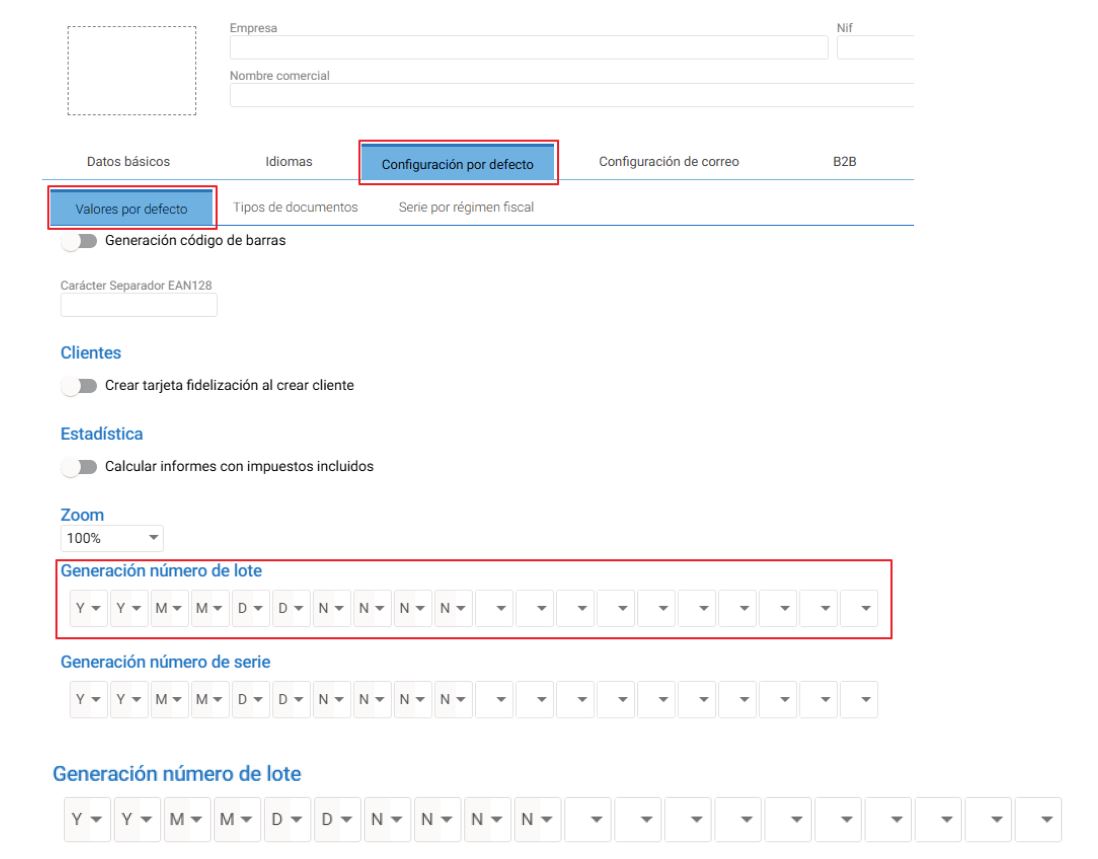
If we focus on the generation, we will see a series of boxes; if we click on the first box, it will give us more information about combinations we can make.
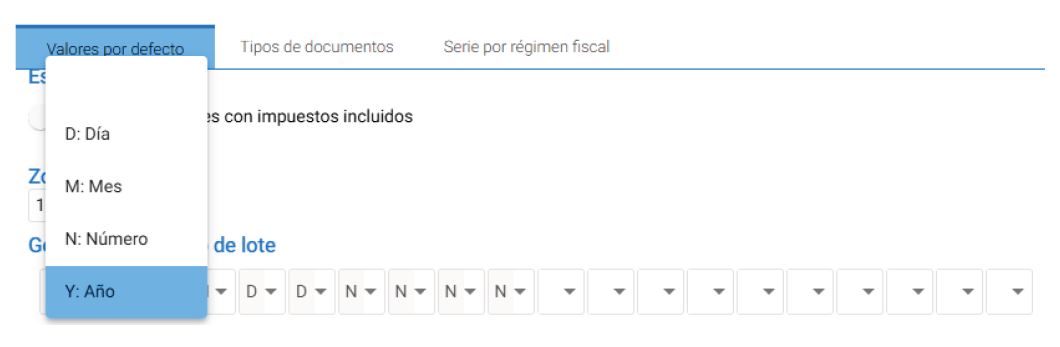
By default we have this configuration:
Year;Year;Month;Month;Day;Day;Number;Number;Number;Number;With this configuration, we will already cover most cases, but if necessary, we could modify it to our liking, as we allow a total of 20 distinct numbers, thus preventing their repetition.
Examples:
January 1, 2023, we generated a batch, the automatic generation will generate the next sequential number:
Answer: 2301010001
On April 23, 2025, we generate another batch, the automatic generation will generate the next sequential number:
Answer: 2504230002
We decided to change to the automatic generation for the following:
Year;Year;Year;Year;Month;Month;Day;Day;Number;Number;Number;Number;Number;Number;If we perform the previous examples with this new generation, we will obtain the following correlations:
Answer: 202301010001 ; 202542300002
This configuration is not possible for Hiopos; it must be done in Hioffice. Even so, the generation of default correlatives can be used in Hiopos (Only from version 12 onwards).
When will we use a Lot type item?
As we have previously mentioned, batch items can only be manufactured or purchased.
In our case, we will look at both options, as it is very likely that we will want to produce a product and have to buy its components.
We must be clear that if we want to work with batch numbers and manufacturing, our main Item, the one we will manufacture periodically, must have the "USA STOCK" checkbox active, as we are actually generating physical stock of that manufactured item.
An example of a business would be a yogurt company; they manufacture the yogurt, package it, and it is kept as physical stock until consumption. This item must have a batch number. It is not an item that is produced for immediate consumption.
Another example would be a pre-prepared food company, like the example we will see later regarding the Potato Omelette Article, where the end consumer only needs to heat the food. It is not intended for immediate consumption.
From this information, we can observe that all products NOT intended for immediate consumption must have the “USA STOCK” box checked and be managed in the way that best suits us.
AI Assistant
Section summary
AI can generate inaccurate information; verify the results.