En esta sección
Sale of items in lots
How to sell items in lots
If we use Hioffice, the sale of that item would follow the same logic, allowing us to specify the lot using the pencil on the left of the line or the "Lot / Serial No." button.
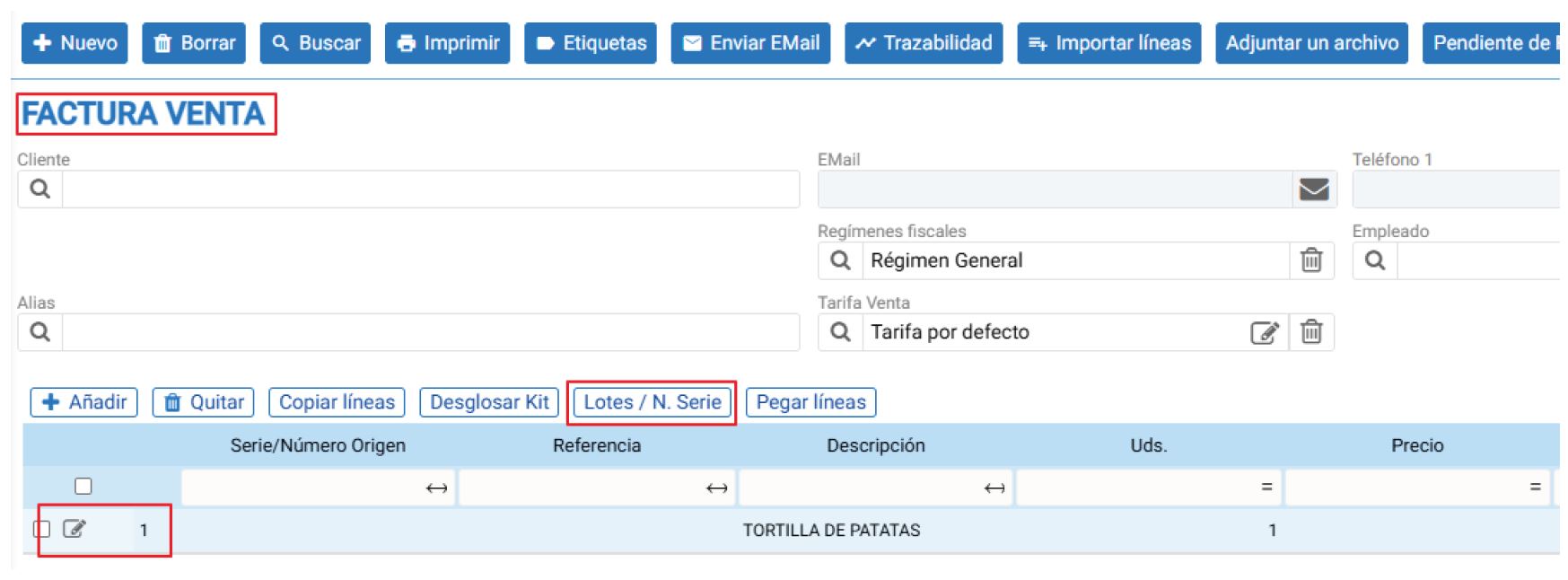
We will see the same screens for batch management.
To observe these screens, we have created a new production of 15 units of Spanish omelette, thus generating lots "2502190003" and "2502190004".

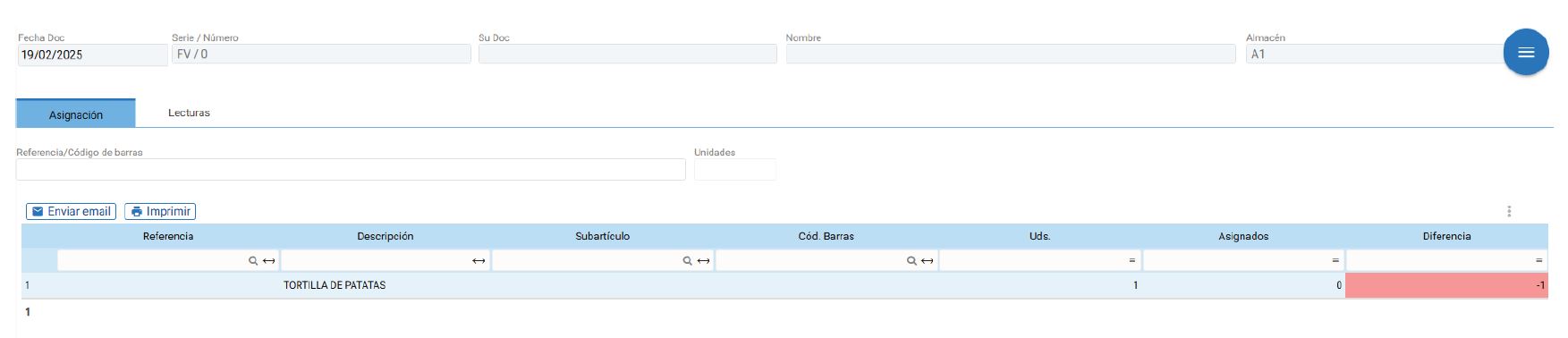
Now, let's remember that until now, our batch destocking method has been configured with the "Do not assign batch" option, making everything more manual in that regard.

If we change this setting to “Ask for the batch when selling an item” for Hioffice, it will have no effect whatsoever. We will always have to enter the batches using the pencil icon or the “Batch / Serial No.” button. However, this changes when we use the FIFO and LIFO methods, meaning that if we propose batches, it will suggest the batch according to that method:
Automatically assign lot by FIFO (First In, First Out). Once we close the document, we will be able to observe lot "2502190003" automatically proposed by Hioffice.
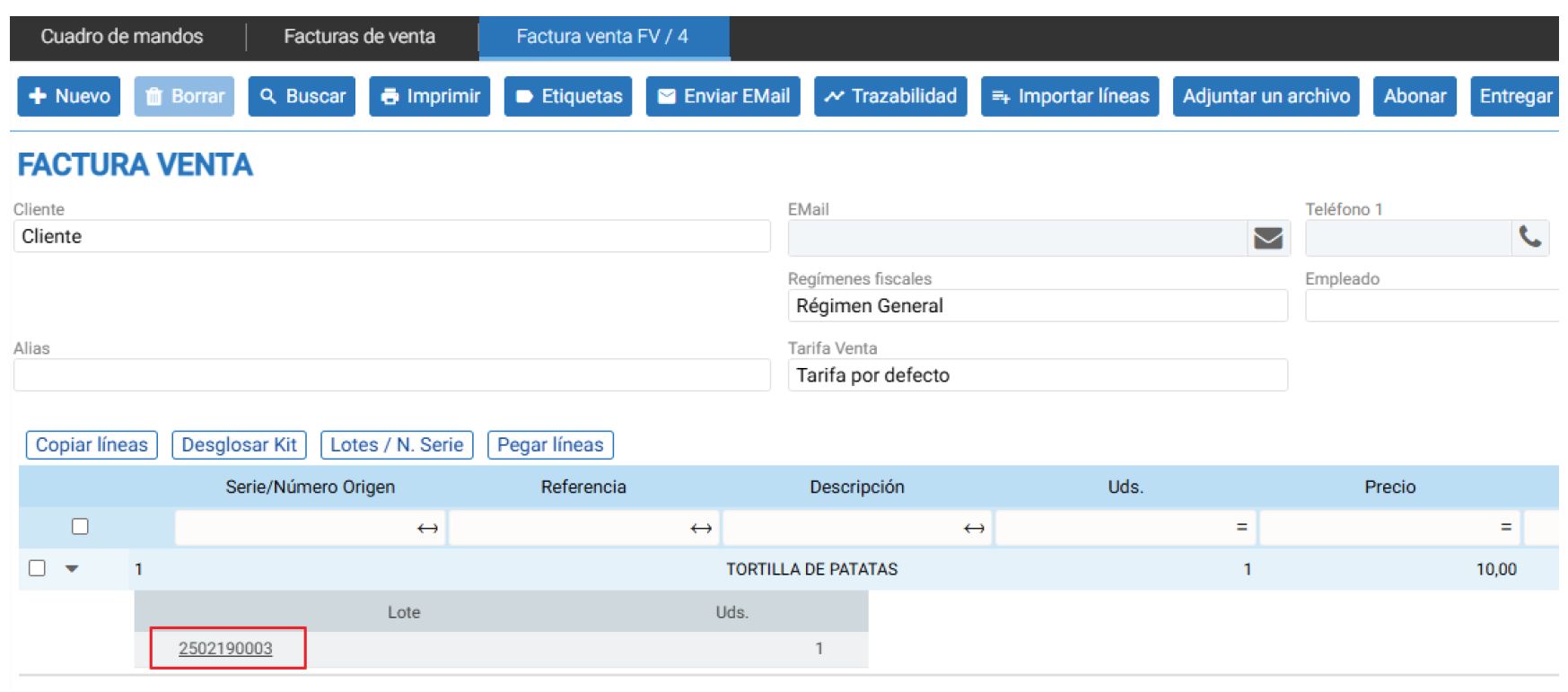
Assign lot automatically by LIFO (Last In, First Out). Once we close the document, we will be able to observe lot “2502190004" automatically proposed by Hioffice.
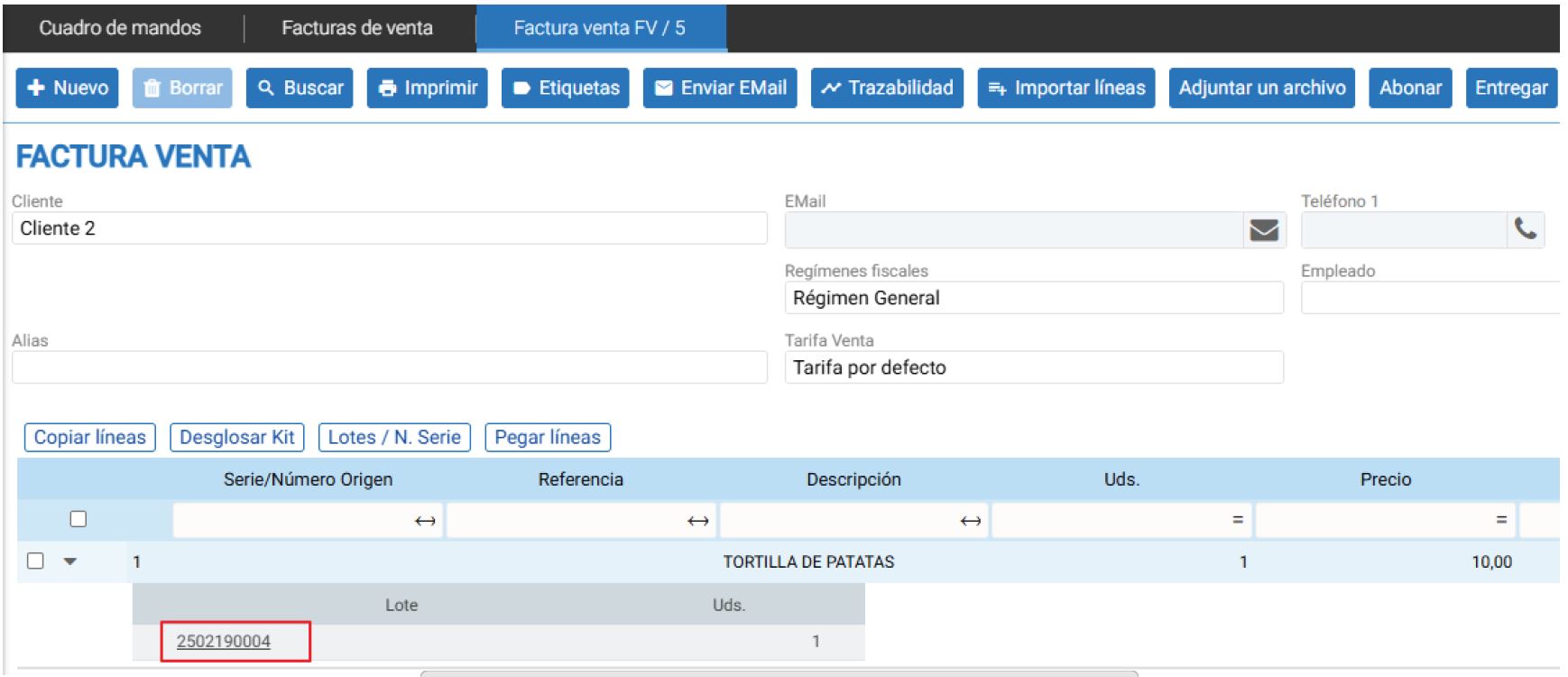
In Hiopos, we also have an option for this. We just need to place the item line in the sale, and an option will appear on the line to indicate the LOT. Similarly, using the magnifying glass, we could identify the LOT, or if we type it manually, the correct lot is also identified.
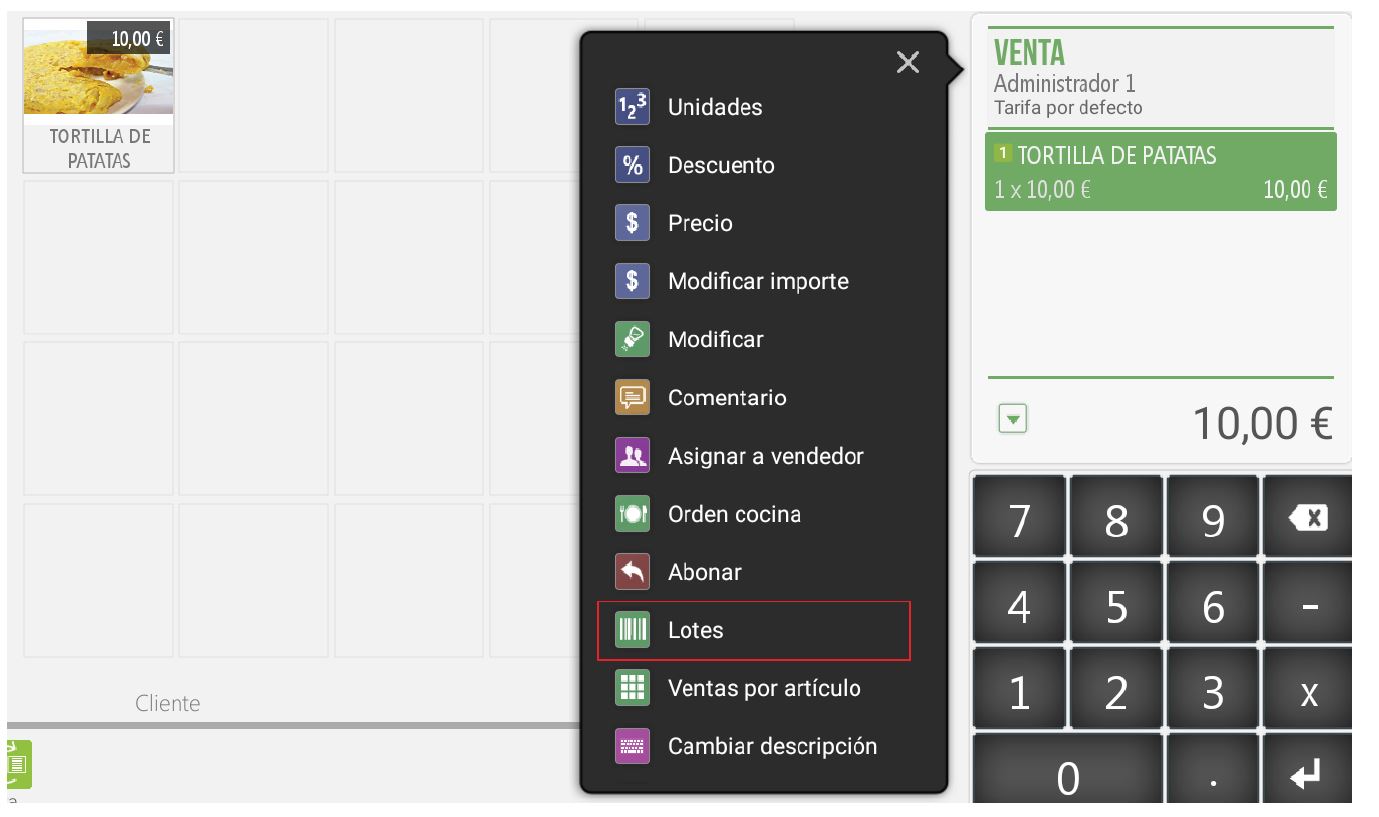
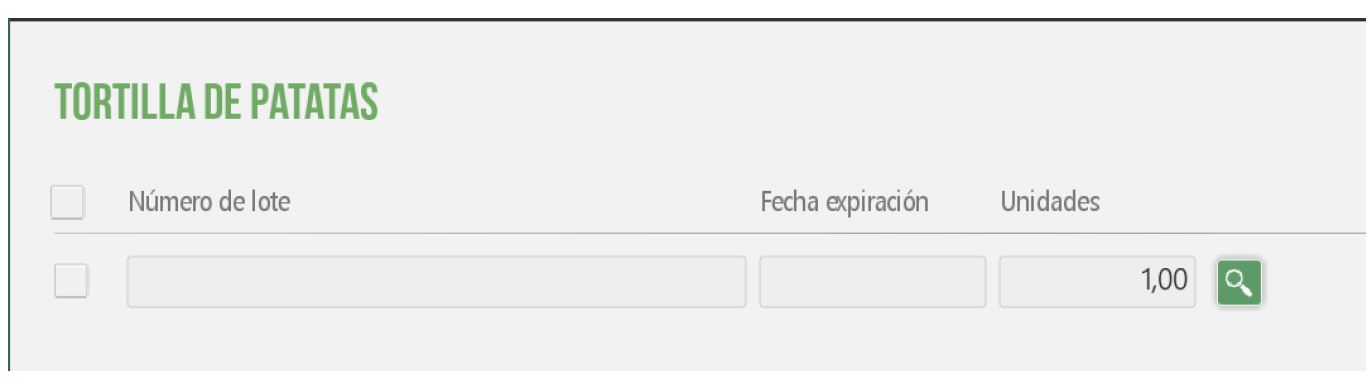
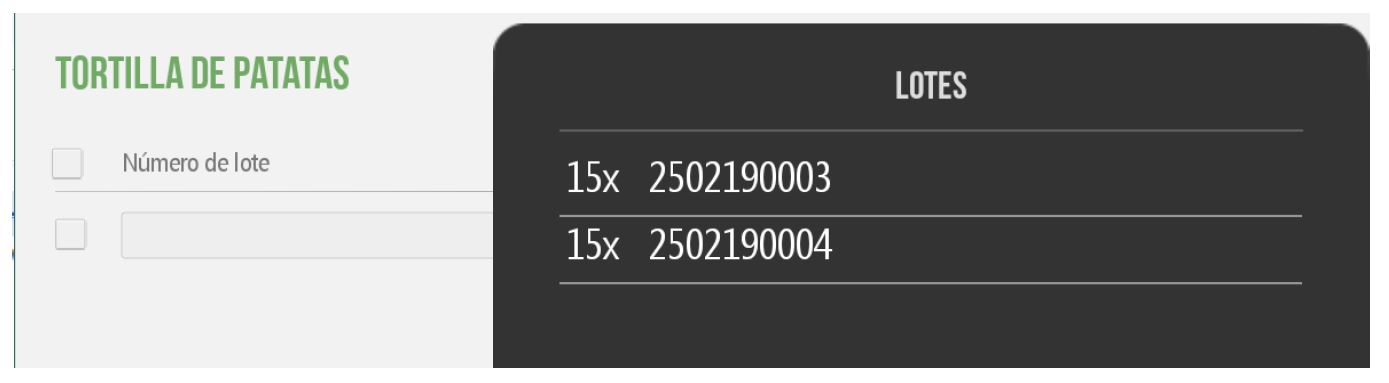
Now, let's remember that until now, our batch destocking method had been configured with the "Do not assign batch" option, making everything more manual in that regard.
If we change this setting to “Ask for the lot when selling an item,” we won't need to open the screens to choose the lot.
This setting can be changed both in HIOFFICE and in HIOPOS; for HIOFFICE, we've already covered it, and in HIOPOS, we can find it in SETTINGS ← STORES ← Lot Management.


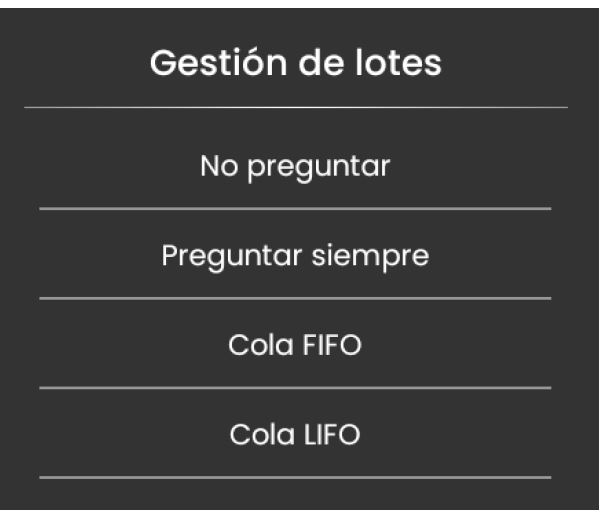
We changed to always ask what would be the equivalent of "Ask for the batch when selling an item." By doing this, when we add the tortilla de patatas item for sale, it will now ask us which batch we will use.
If we use a FIFO queue, when selecting the item, we will not see the batch it will choose, but once the sale is completed, if we check our sales query, we will be able to see how it has picked from the first manufactured batch "2502190003".
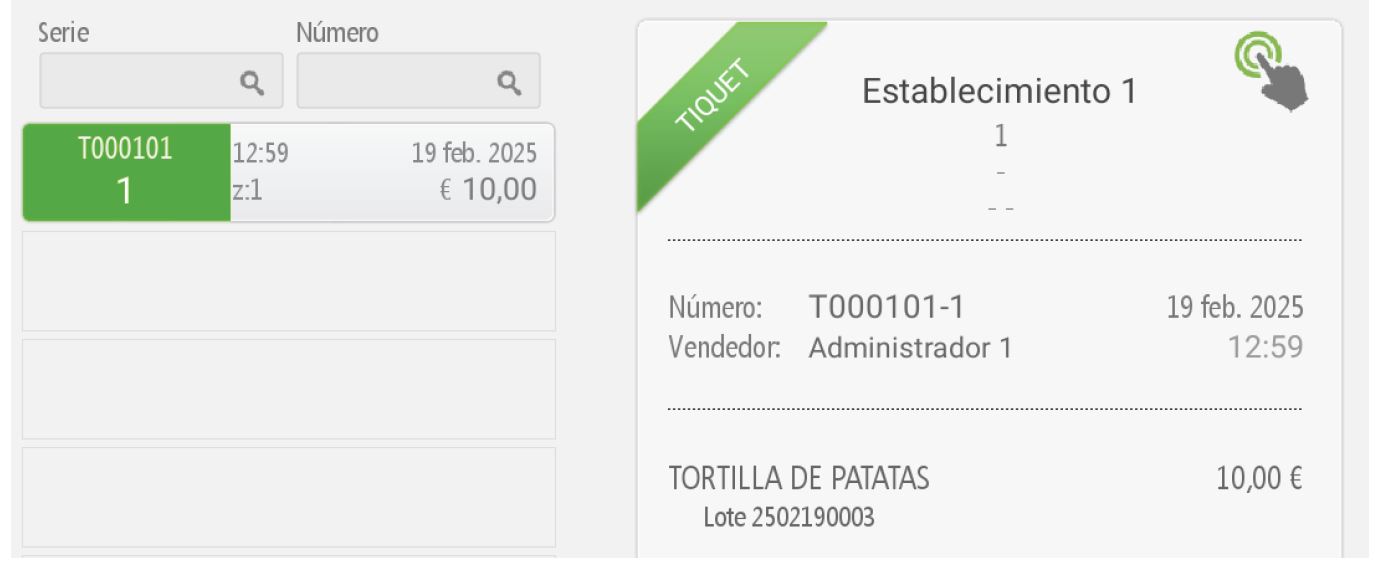
If we use a LIFO queue when selecting the item, we will not see the batch it will pick, but once the sale is completed, if we check our sales query, we will be able to see how it picked from the second manufactured batch “2502190004”.
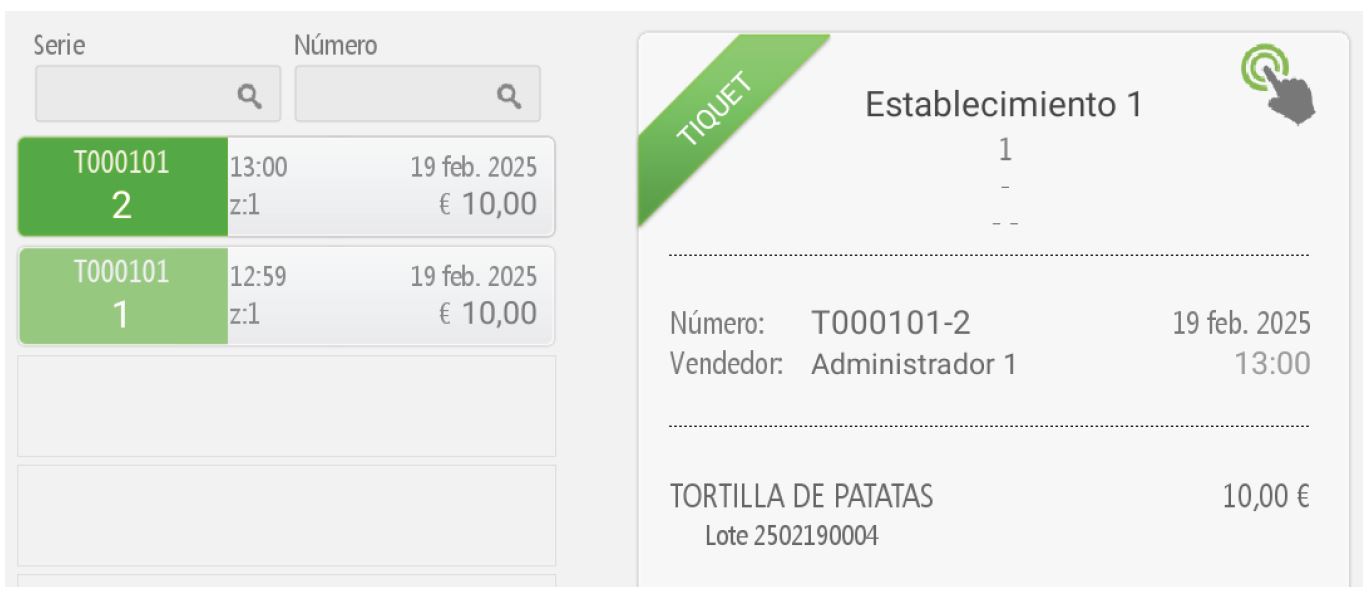
Did you know?: Batch management is independent for Hiopos and Hioffice, which allows us to control stock through Hioffice using the FIFO method, while in the Store we can use the LIFO method.
TIPS
The generation of sequence numbers does not have to use HIOFFICE's; our system is intelligent enough to generate sequence numbers according to a specified structure.
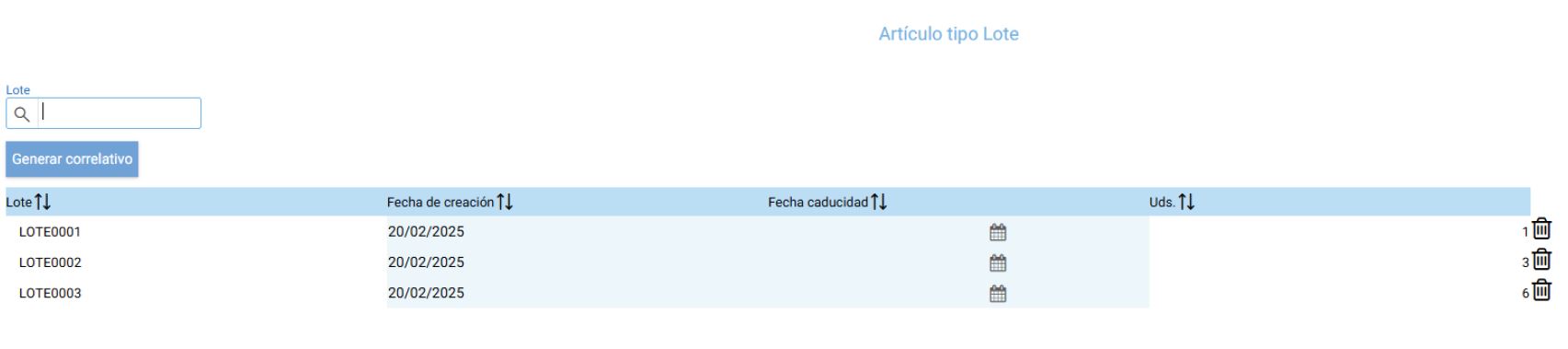
Let's imagine we receive lots LOTE0001, LOTE0002, LOTE0003. Therefore, regarding how we're going to enter the supplier's lot, we should manually register these lots. That's not exactly true. We can manually register the first one, LOTE0001, and for the others, use the 'generate consecutive' option. In this case, it will generate LOTE0002 and so on, without using the generation configured at the company level.
Example:
We have first entered LOT0001; we need to adjust its units, in this case 1 unit. If we now click 'generate consecutive', it will generate LOT0002.


By default, it will mark the maximum available units to avoid leaving anything pending lot assignment. However, if we leave units unassigned for the lot, it will notify us with a message. For this example, in LOT0002 we only have 3 units; we will indicate this on the line.
The next generation, we have already notified all the lots:
AI Assistant
Section summary
AI can generate inaccurate information; verify the results.